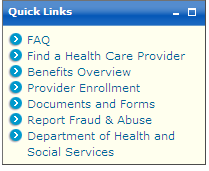
For an example of a pod containing the minimize and maximize links:  See image.
See image. Many of the Web pages or pods on AK MMIS Health Enterprise Portal contain minimize and maximize links on the title bar. These links are used to collapse the page or pod or to restore it to its original size.
See image.
To collapse the page or pod
On the page or pod's title bar, click the minimize link ( ).
).
The content of the page or pod collapses so only the title is visible.
To restore the page or pod
On the page or pod's title bar, click the maximize link ( ).
).
The content of the page or pod is restored to its original size.
 See Also
Version as of 6/30/2015.
Copyright © 2017 Conduent, Inc. All rights reserved. Conduent and Conduent Agile Star are trademarks of Conduent, Inc. and/or its subsidiaries in the United States and/or other countries.